Image Studio
During my internship at AIVideo.com, I independently designed and prototyped a full‑stack mini‑application called Image Studio. It was a conversational AI interface, powered by Gemini 2.5 Flash, that allowed users to generate and edit images directly inside a chat workflow. The goal was to let people describe edits naturally and have the system translate those requests into precise editing operations.
To make this work, I built an agentic chat system where every image function (cropping, background removal, hue/saturation, inpainting, and more) was modeled as a callable tool with a clear schema. Instead of hard‑coding workflows, the chat agent could dynamically decide which tools to invoke. That way, requests like "make this brighter" or "crop to a square" flowed naturally as messages in the conversation.
On the backend, I designed storage and delivery around performance and resilience. Images were first saved locally for instant previews and then uploaded to AWS S3 in the background, where they received a CDN URL for fast delivery. At the same time, lightweight metadata such as titles, thumbnails, and version counts was stored in Google Firestore. This setup kept the UI responsive, since Firestore supported quick project loads while S3 handled the heavy image storage. It also made the system robust: if S3 uploads stalled, the UI could still show local previews and retry later; if metadata loaded successfully, users could still browse projects even if assets were still syncing.
On the frontend, I built a unified chat‑style interface where text and images appeared together in a single thread. Each edit was logged as part of the conversation, which made the editing process feel seamless rather than like a series of disconnected tool actions. I also optimized handling of large image payloads with streaming uploads and progressive previews so the system stayed responsive under heavy use.
The result was a conversational image‑editing studio that felt simple and intuitive on the surface, yet relied on a flexible and fault‑tolerant architecture underneath.
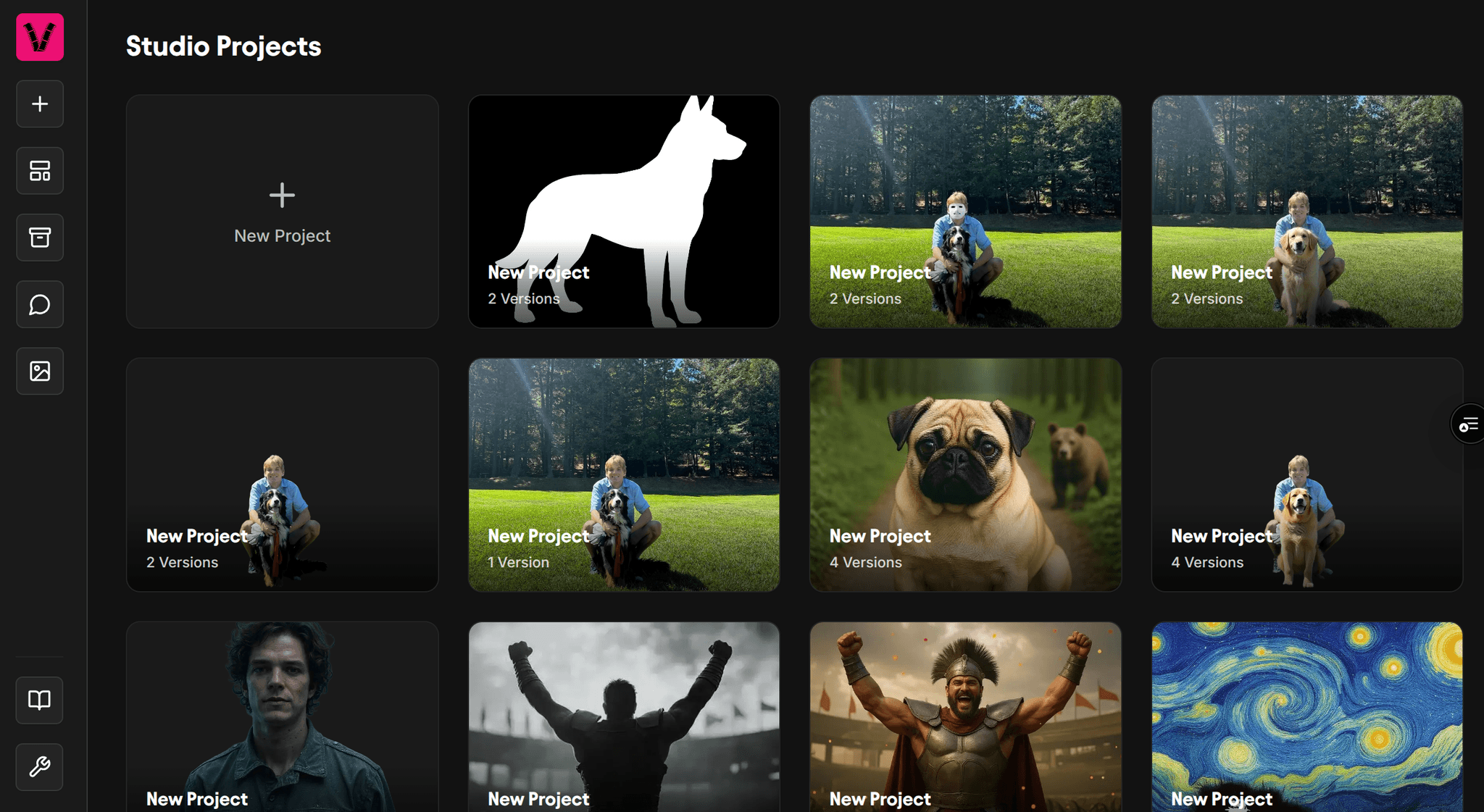
The main Image Studio page where users and see and manage their projects.
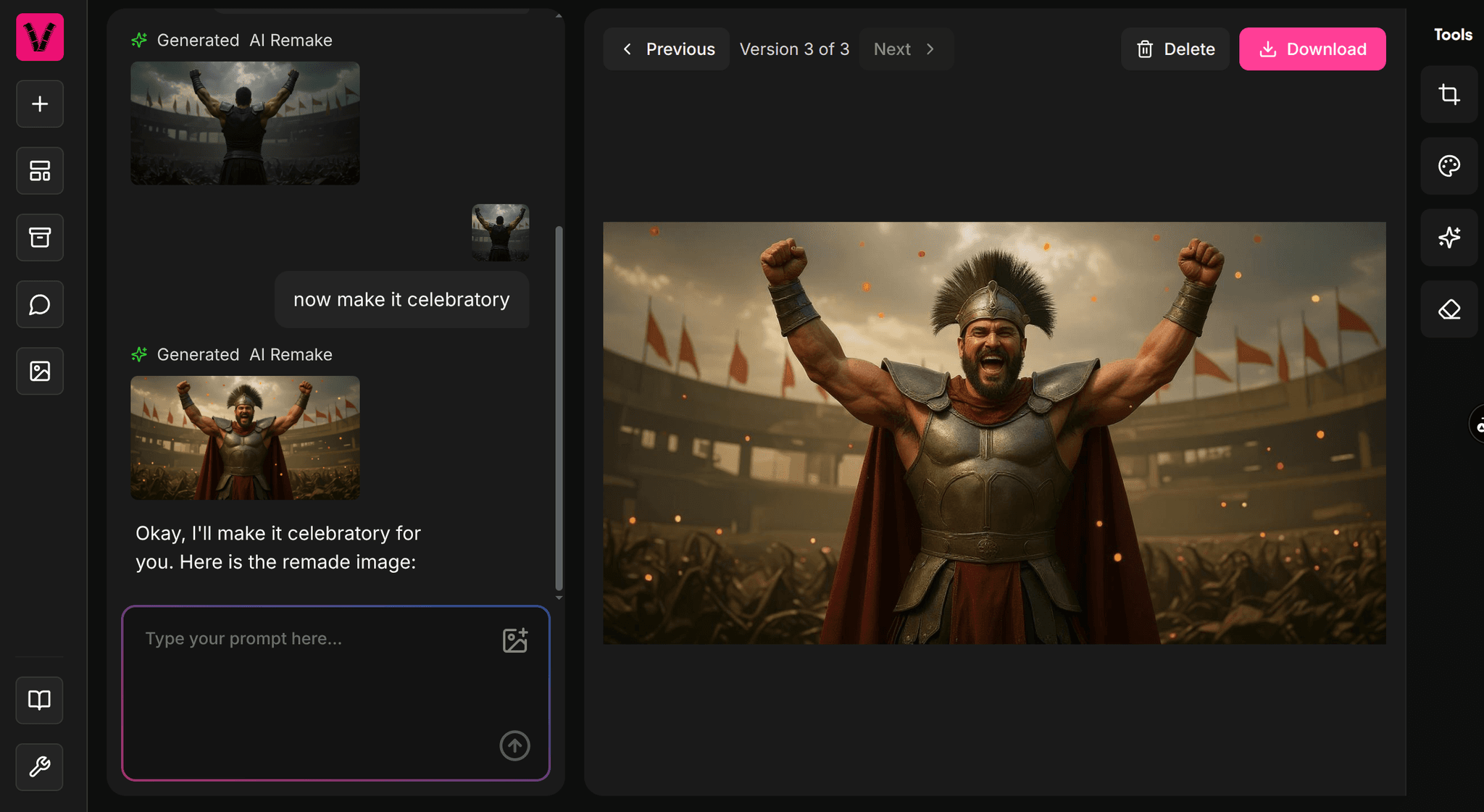
An example of the chat interface where users can see and edit all of their images.
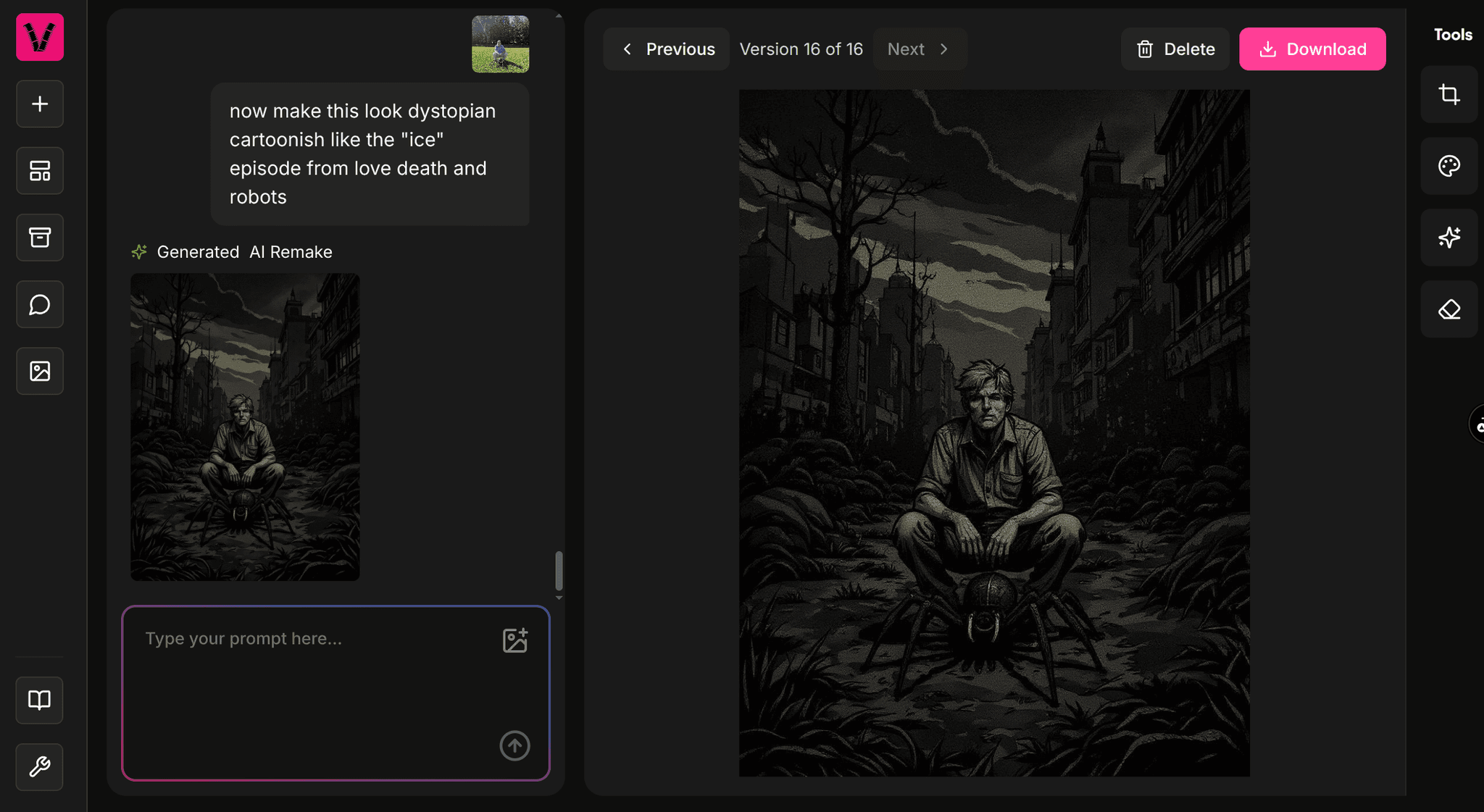
Another example of the chat interface.